What’s this blog about?
As part of my effort to understand Servo better, I decided to learn how Servo starts. Of course, this blog is by no means complete as I’m still learning it along the way, and I’ll update it in the future when I have a better understanding of Servo.
Since Servo’s codebase continually changes, I have created a fork that I’ll use as reference for this blog on my Github, which is based off Servo’s January 30, 2026 main branch.
The Entry point
For Windows, the entry point is ports/servoshell/main.rs, where we’ll run the function servoshell::main(), which is just a wrapper to desktop::cli::main().
Within this, we’ll create an event loop. So far, our trace looks like this:
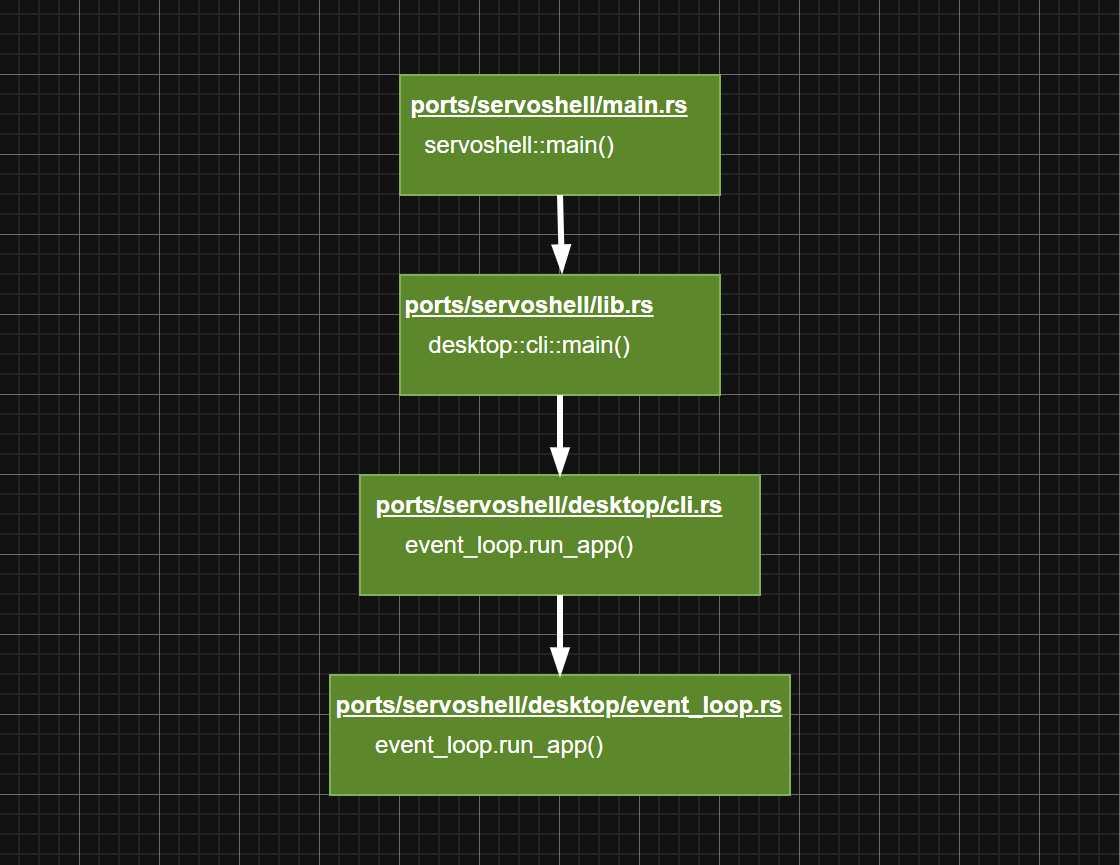
event loop is just a loop on the servoshell side that listens for any message from Servo, such as drawing commands.
Up next, we’ll go to ports/servoshell/desktop/event_loop.rs. Here, we’ll only trace the headless case in this blog since it is simpler.
At any rate, here’s the content of HeadlessEventLoop::run_app():
fn run_app(&self, app: &mut App) {
        app.init(None);

        loop {
            self.sleep();
            if !app.pump_servo_event_loop(None) {
                break;
            }
            *self.guard.lock().unwrap() = false;
        }
    }
Notice that after running app.init(), we enter a loop where the event loop listens for events from Servo.
Let’s go to app.init() under ports/servoshell/desktop/app.rs. Here, two important things happen.
Servo initialization:
let servo = servo_builder.build();
And webview creation:
let running_state = Rc::new(RunningAppState::new(
            servo,
            self.servoshell_preferences.clone(),
            self.waker.clone(),
            user_content_manager,
            self.preferences.clone(),
    ));
running_state.open_window(platform_window, self.initial_url.as_url().clone());
Creating Servo instance
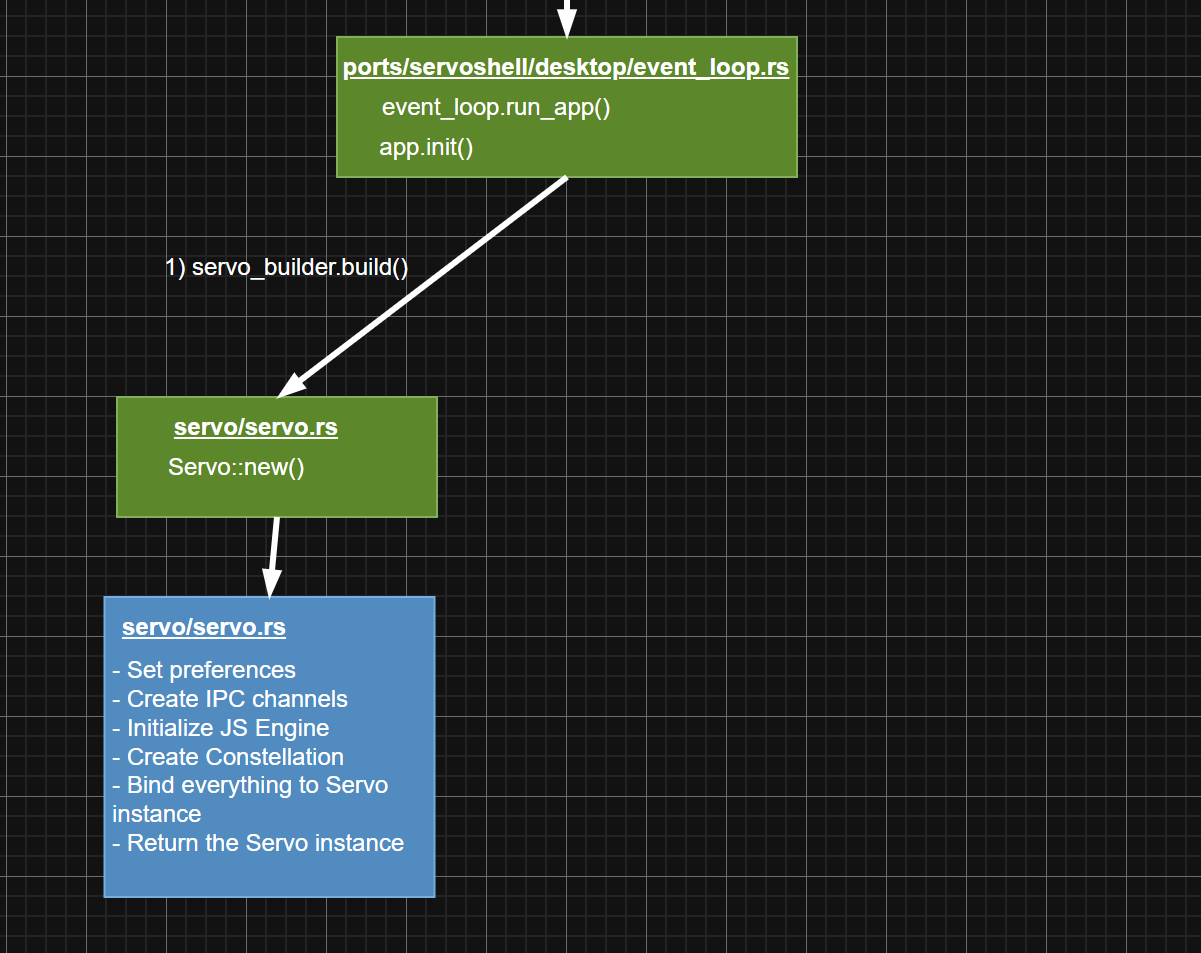
Let’s go to servo_builder.build(), which is just a wrapper to Servo::new(). This is where the bulk of the work occurs, including the creation of the Constellation thread.
After this stage is done, we’ll bind everything to the Servo instance, before returning it. Overall, the diagram looks as such:
Creating webview
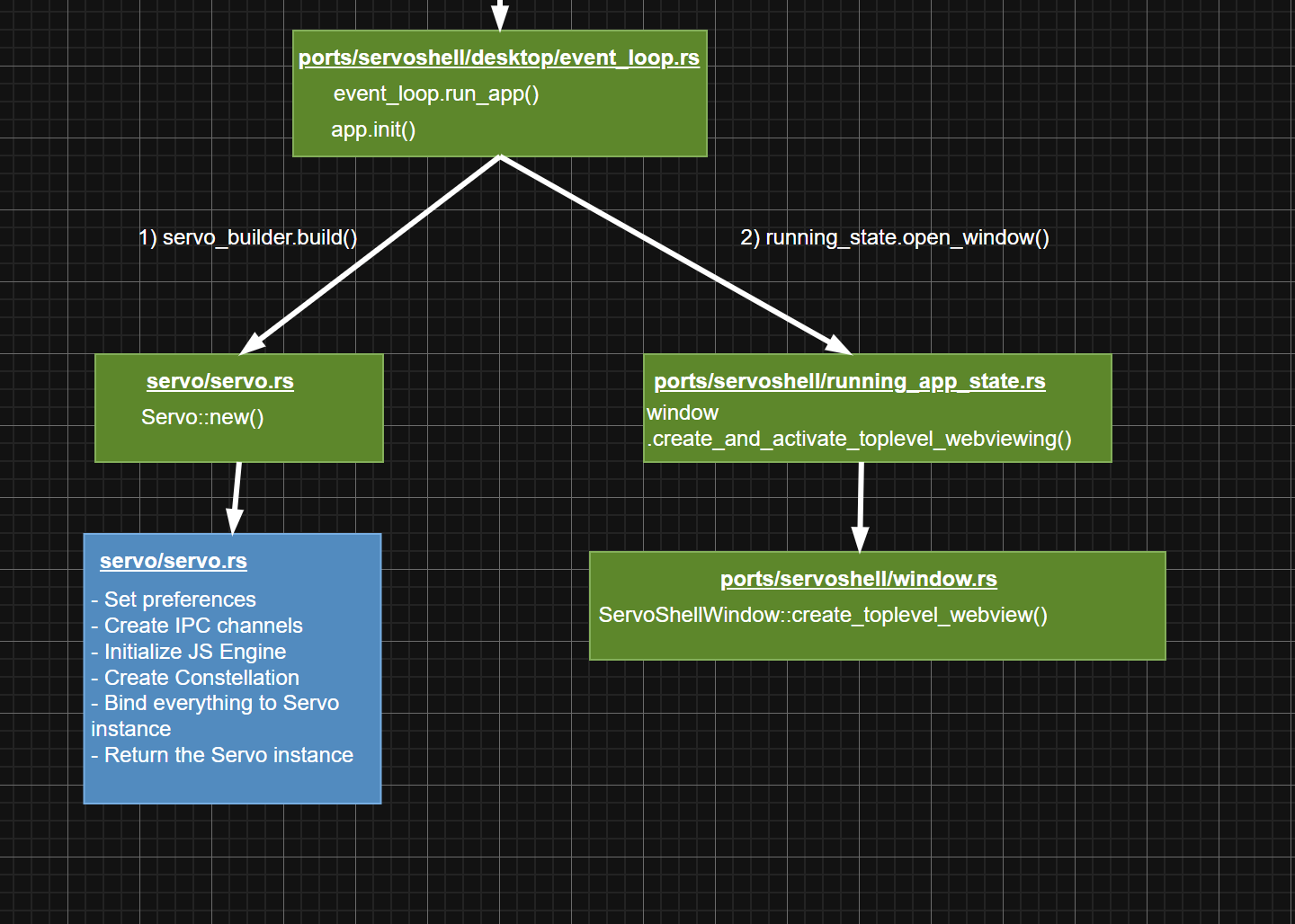
After we’ve created the Servo instance, it’s time to create the webview by running running_state.open_window(), which brings us to window.create_and_activate_toplevel_webview(), and ultimately ServoShellWindow::create_toplevel_webview().
This is the exact point where webview is being built:
let webview = WebViewBuilder::new(state.servo(), self.platform_window.rendering_context())
            .url(url)
            .hidpi_scale_factor(self.platform_window.hidpi_scale_factor())
            .user_content_manager(state.user_content_manager.clone())
            .delegate(state.clone())
            .build();
All in all, everything looks as such:
Why webview?
Some of you may wonder,
If we’re only tracing for the headless case, then why is a webview created?
Well, to be honest, I’m also not sure myself. I’ll update it in the future when I have a clearer picture already.
Conclusion
In this blog, we explored how Servo initializes on Windows in a headless environment. This is my first attempt at understanding it, and is by no means 100% accurate.
Anyway, here’s the overall diagram of my current understanding: