What’s this blog about?
It’s Chinese New Year season and I’ve been playing with Servo for a while now; and while I’ve done some contributions to the OSS project, I realized that I haven’t really grasped how it works as a whole.
That’s why I decided to learn Servo more, and as usual, I’ll be writing blogs to document what I learned. For this specific blog, I’ll only write about an overview on the subject. The upcoming blogs will dive deeper into Servo as I learn it myself along the way.

Servo logo
Prerequisites: What are web engines?
In essence, a web engine is a piece of software that processes HTML, CSS, & JavaScript to create a webpage that can be viewed on your computer screen. While doing so, it may use code from other projects such as html5ever to parse the HTML, stylo to apply styling, and SpiderMonkey to run JavaScript codes.
Browser vs. web engine
You may wonder, “Is web engine the same as browser?” Well, no. A web engine is a part of browser, but it’s not the same.
When you open a browser and navigate to a URL, the browser instructs the web engine to load the page. The engine then fetches the required resources (HTML, CSS, JavaScript, images), processes them, and ultimately sends drawing commands to the GPU for display (yes, this is also true even if you don’t have a dedicated GPU - most, if not all, modern processors have integrated GPUs inside them).
In the Servo project, servoshell is provided as the default desktop browser for Servo. Here’s a table outlining some browsers and its web engine:
| browser | web engine used |
|---|---|
| Servoshell | Servo |
| Safari | Webkit |
| Chromium | Blink (fun fact: it is a fork of Webkit) |
| Firefox | Gecko |
Not just a component of a browser!
“Why give web engine its own name? It is just a part of a web browser. What makes the web engine so special?
Well, a web engine can be used by other things other than browser.
For example, in Android, developers can create a webview using the android.webkit.WebView API. When this happens, the app will need a web engine to render the contents of the webview. One example of such application is WeChat’s mini program, which is a huge thing in mainland China.
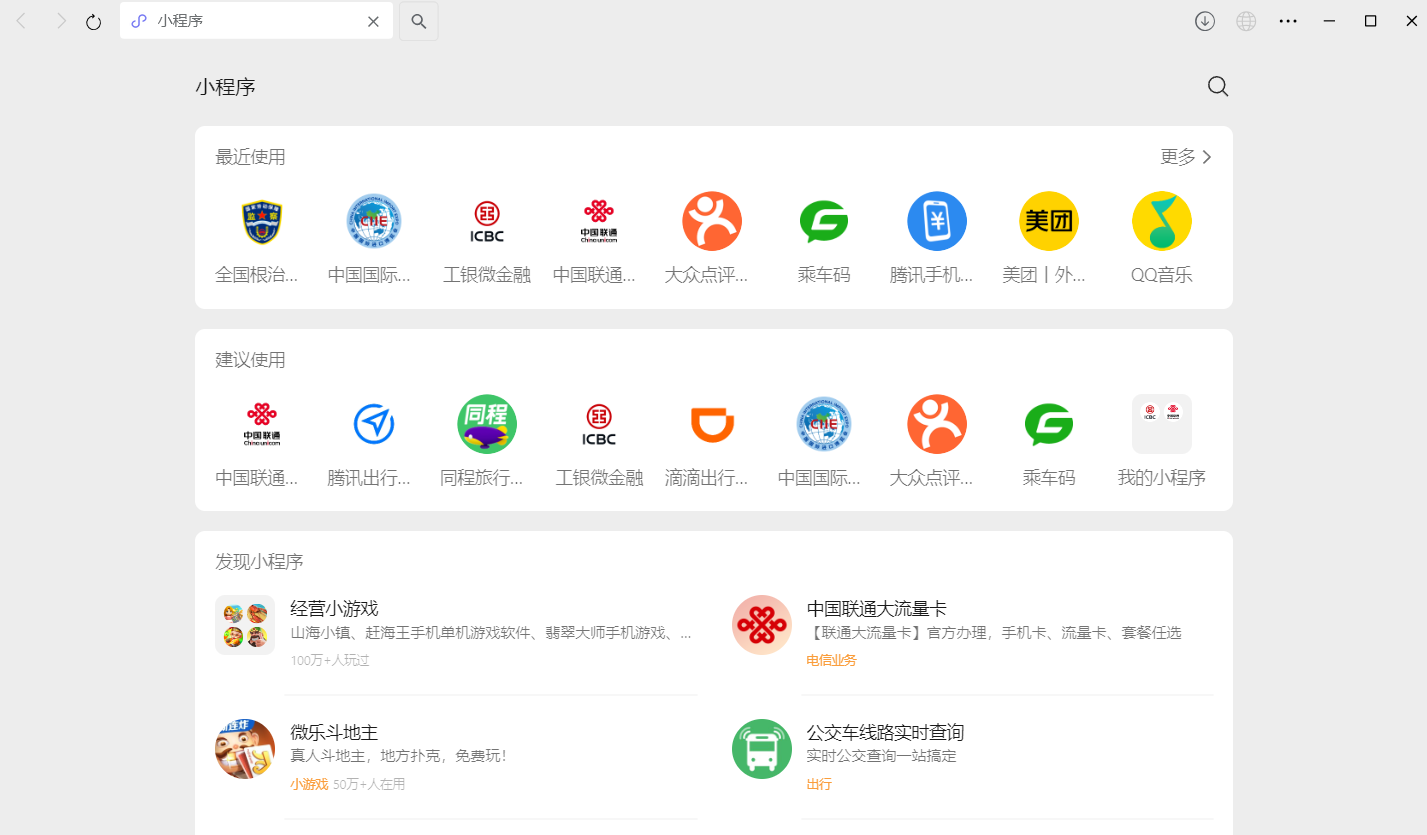
In both cases we discussed, the browser & Android app act as an embedder to the web engine.
Servo’s architecture
Let’s get into the main topic of this blog: Servo!
From the Servo book, the architecture of Servo looks as such:
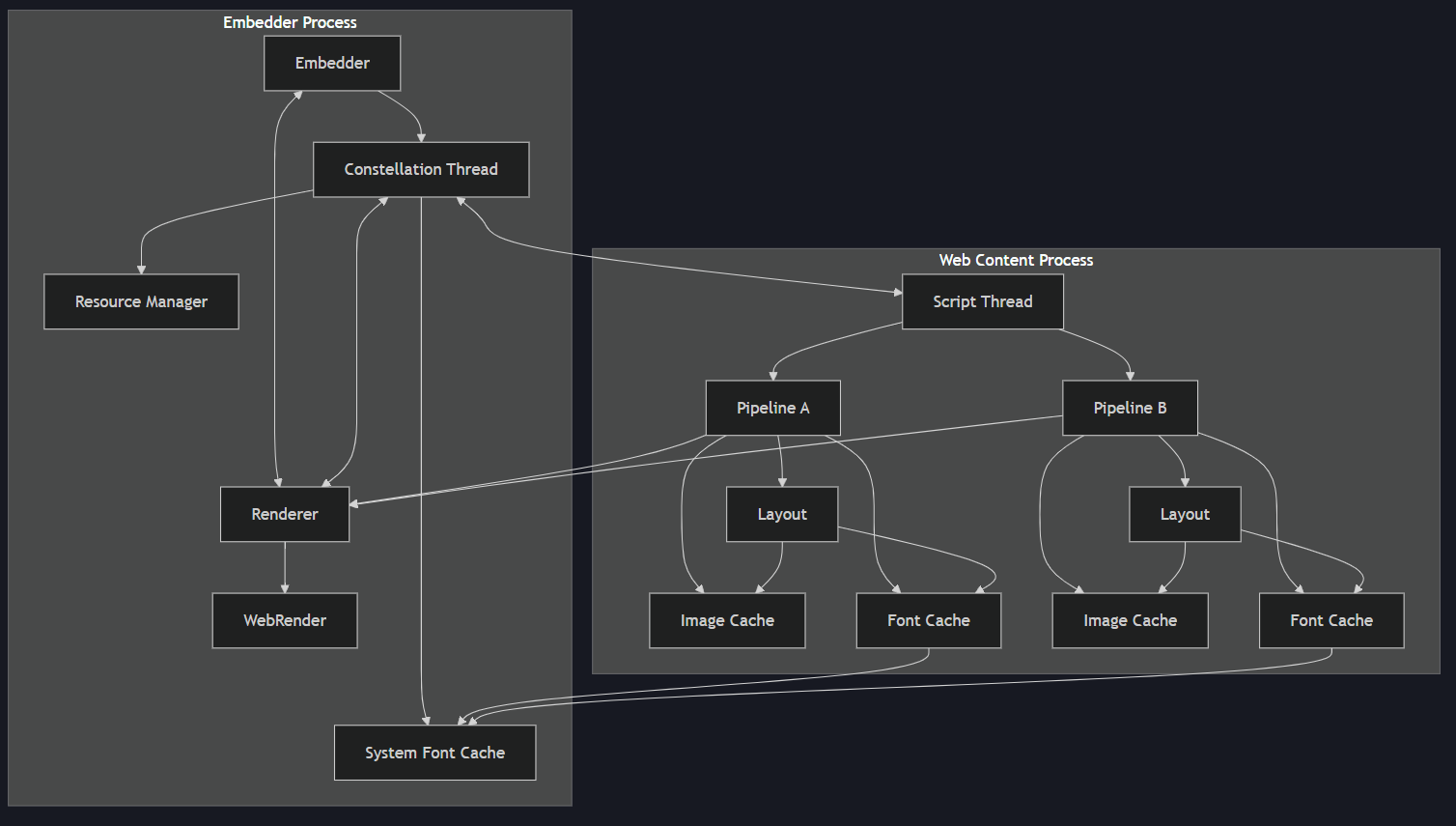
Servo architecture
Personally, I don’t quite like this kind of documentation because it lacks an example workflow. Therefore, I’ll add one in this blog to explain Servo’s architecture.
1. Servo is launched
When Servoshell (or other embedder) is first launched, it will create an instance of Servo, which in turn will create a thread called constellation, which can be thought of the thread that manages other processes.
While it is quite outdated, I think this diagram from TU Delft is better at showing how constellation fits in the greater picture:
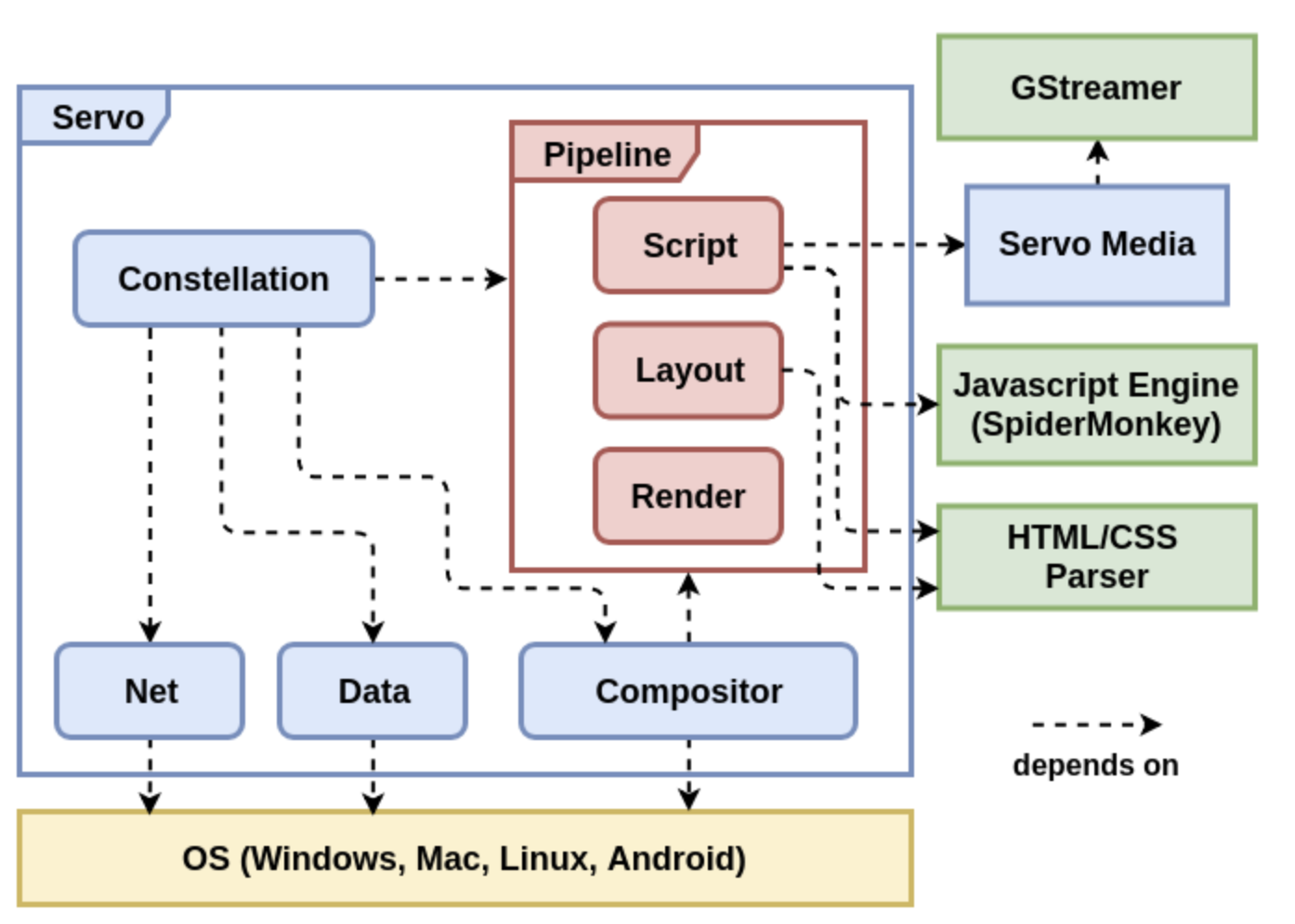
Constellation: the thread manager of Servo
2. Servo fetches resources
Next, Servo will fetch resources from the URL (either specified by user or default). Before fetching resources, constellation will launch both the script thread (only once during startup. Later navigations won’t create a new script thread.) and a pipeline, which logically represents a document and owns a layout thread for said document.
3. HTML parsing
Once the resources are fetched, the script thread will take over and begin parsing the HTML document. The end result will be a DOM tree.
4. CSS styling
Next, the CSS Parser will parse the CSS document into a structured format. Afterwards, Stylo, Servo’s CSS styling engine, performs the cascade and computes styles for the DOM tree. The end result is that each node in the DOM tree will have something called Computed Value. At this point, we’re in the layout thread.
What’s cascade? Well, it is just a fancy word for style resolution.
What’s style resolution? Well, some CSS properties can be inherited from parent to child node. When there are conflicts (for example, parent & child both have the same CSS property but with different value), Stylo will decide which value to use. This is style resolution.
5. Box & fragment tree construction
Still in layout thread, the DOM tree will be processed to form what’s known as box tree.
In a nutshell, a box tree node is just a DOM tree node but with type based on the value of its display property. Note that at this stage, it is possible that the structure of the box tree differs from that of the DOM tree. For example, if a node has display: none, then that node, along with its children, will be omitted from the box tree.
Up next, we’ll form the fragment tree from the box tree. At this stage, we’re computing relative positioning, linebreaking, and other things of each node of the box tree to form fragment tree nodes.
6. Display list construction
Still in layout thread, the fragment tree nodes are organized in a structure known as the stacking context tree. I haven’t fully understood stacking context trees yet, but one thing is it reorganizes the fragment tree based on some properties such as its z-index.
Once completed, Servo will traverse the stacking context tree to form display list, which is just a set of painting instructions to be sent to the renderer. In Servo, that renderer is known as the webrender.
7. JavaScript execution
Up to this point, we’ve had a webpage rendered on the screen. But what about JavaScript? Well, in the script thread, the JS engine (in our case SpiderMonkey) will interpret the JS code and modify our DOM accordingly. This will trigger a reflow on the layout thread, which will cause a repeat in step 5 & 6, or maybe even step 4 if style needs to be recomputed.
Conclusion
This blog is just an overview on how Servo works based on my current understanding, which may be updated in the future when my understanding improves.
In the upcoming blogs, I’ll dive deeper into each section by pointing directly where in the codebase each step happens.